

The Rido app, for iPhone.
Your next ride on the first screen, your driver's car on a map, and one tap to say you're ready. Free, and it books exactly the rides the website books.
Free. iPhone with iOS 17.2 or later. No app is needed to book: the website works on any phone.
What it looks like.
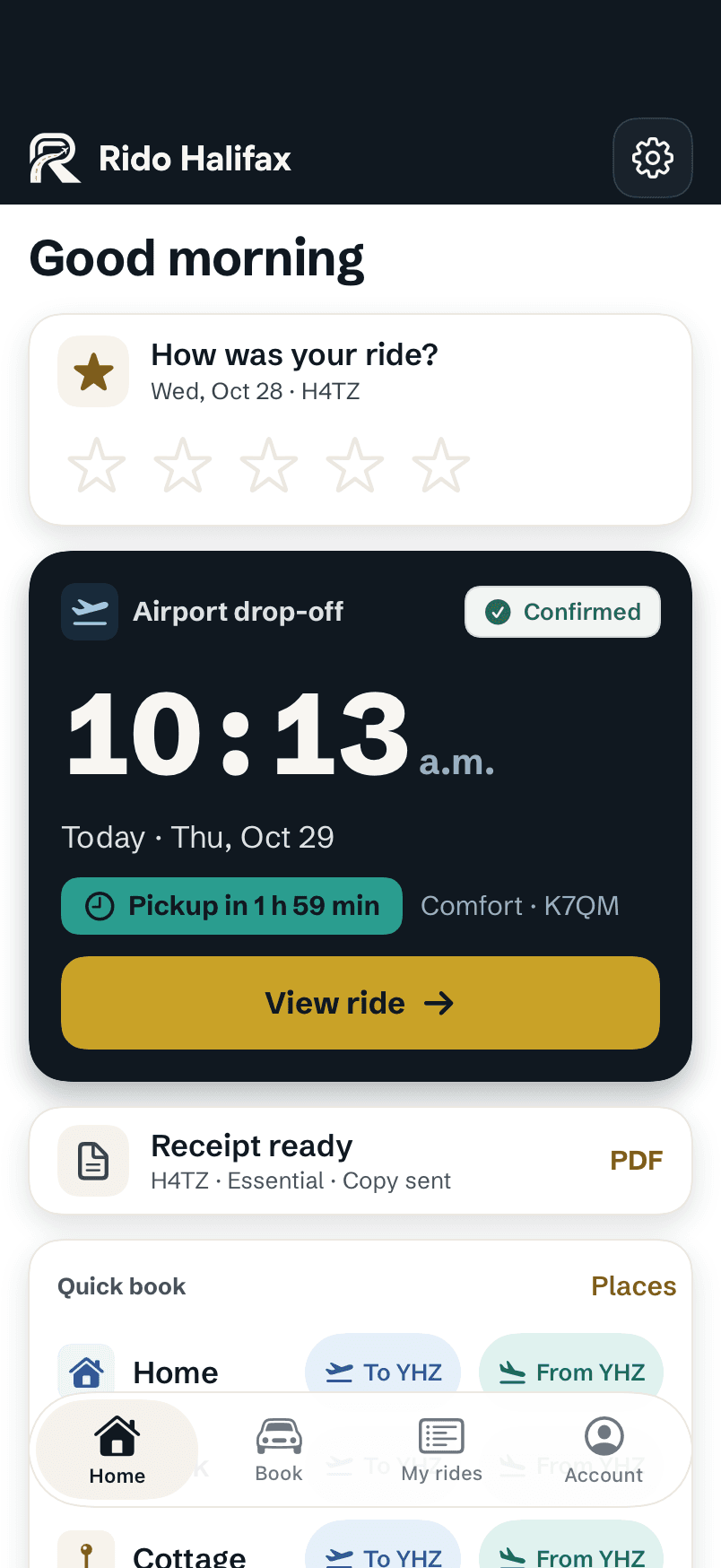
Your next ride, your receipt and your saved places on one screen.
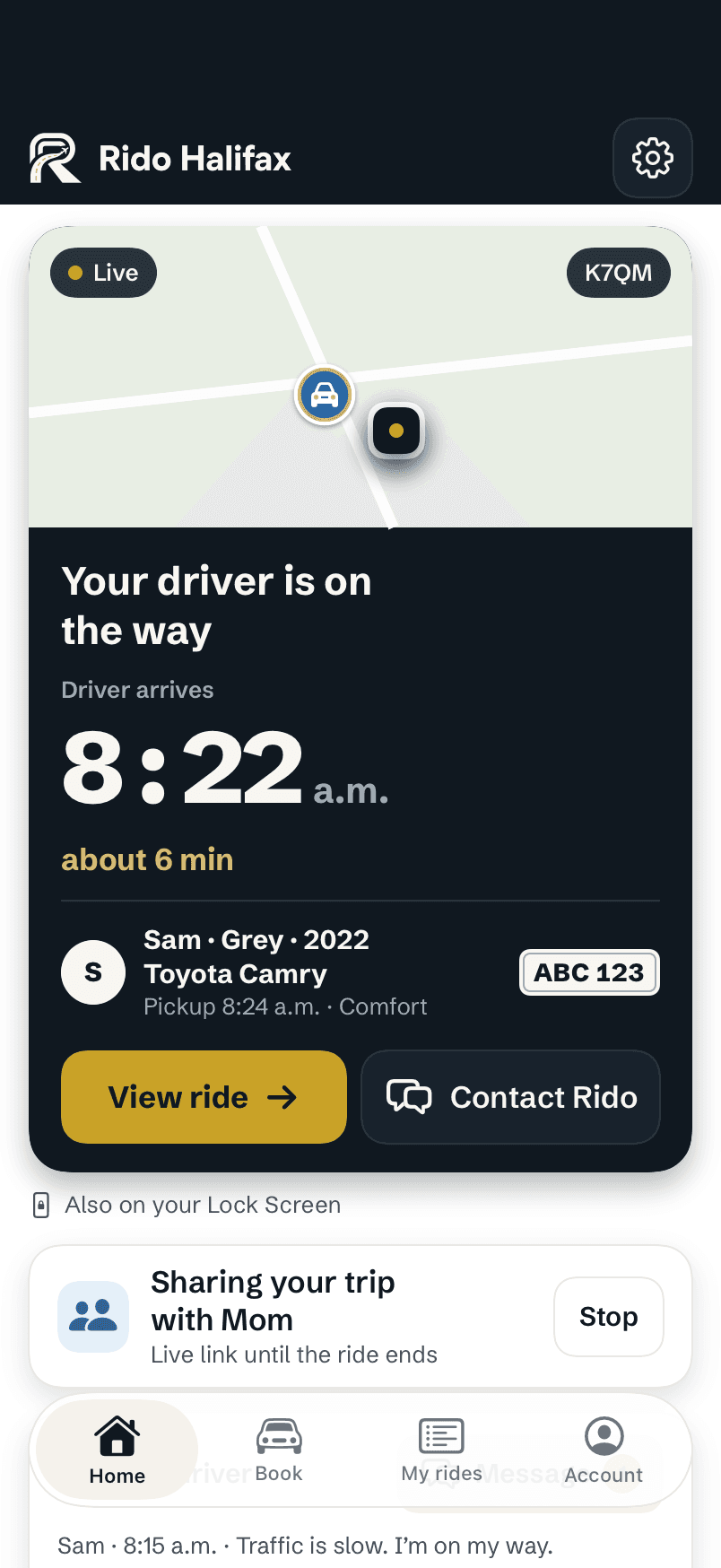
The car on its way, with your driver's name, car and plate.
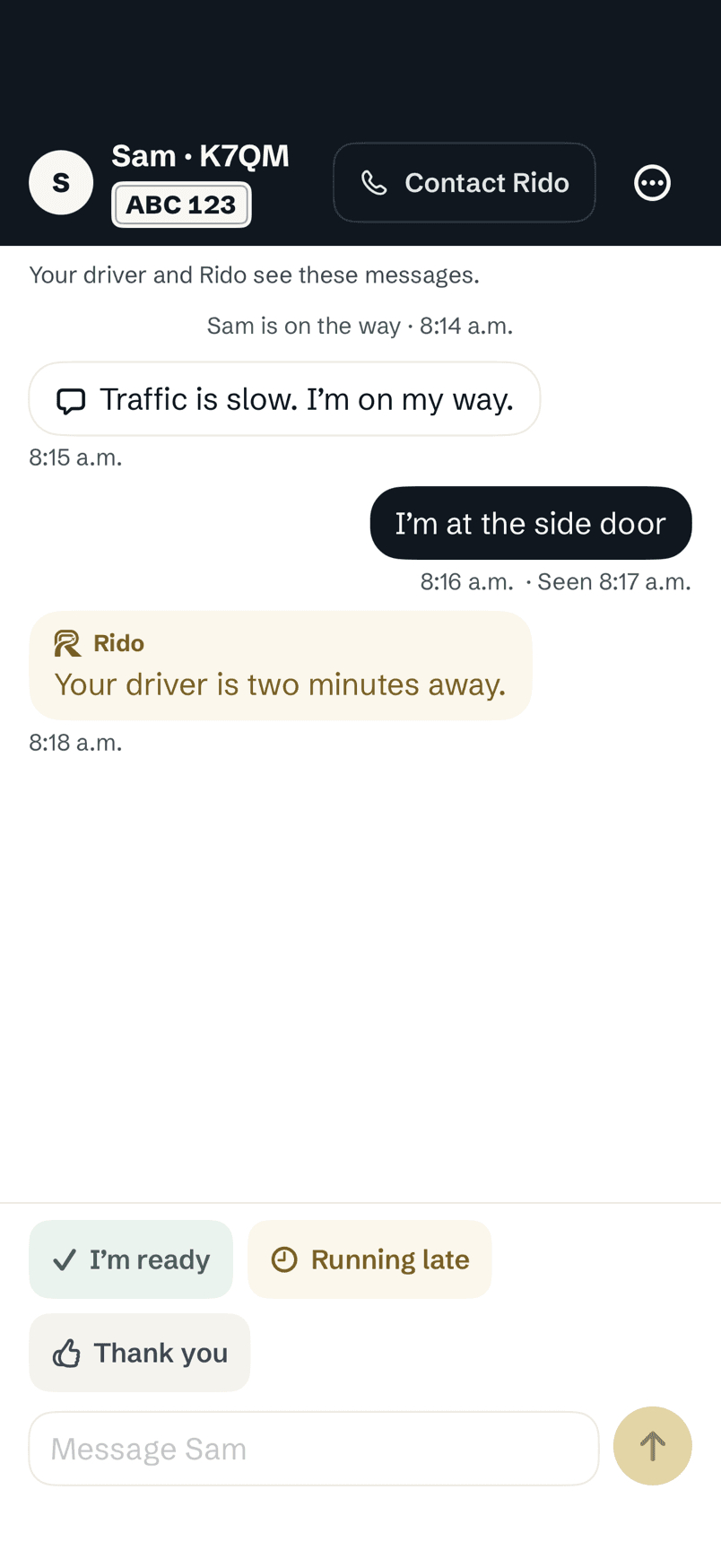
A tap tells your driver you're ready.
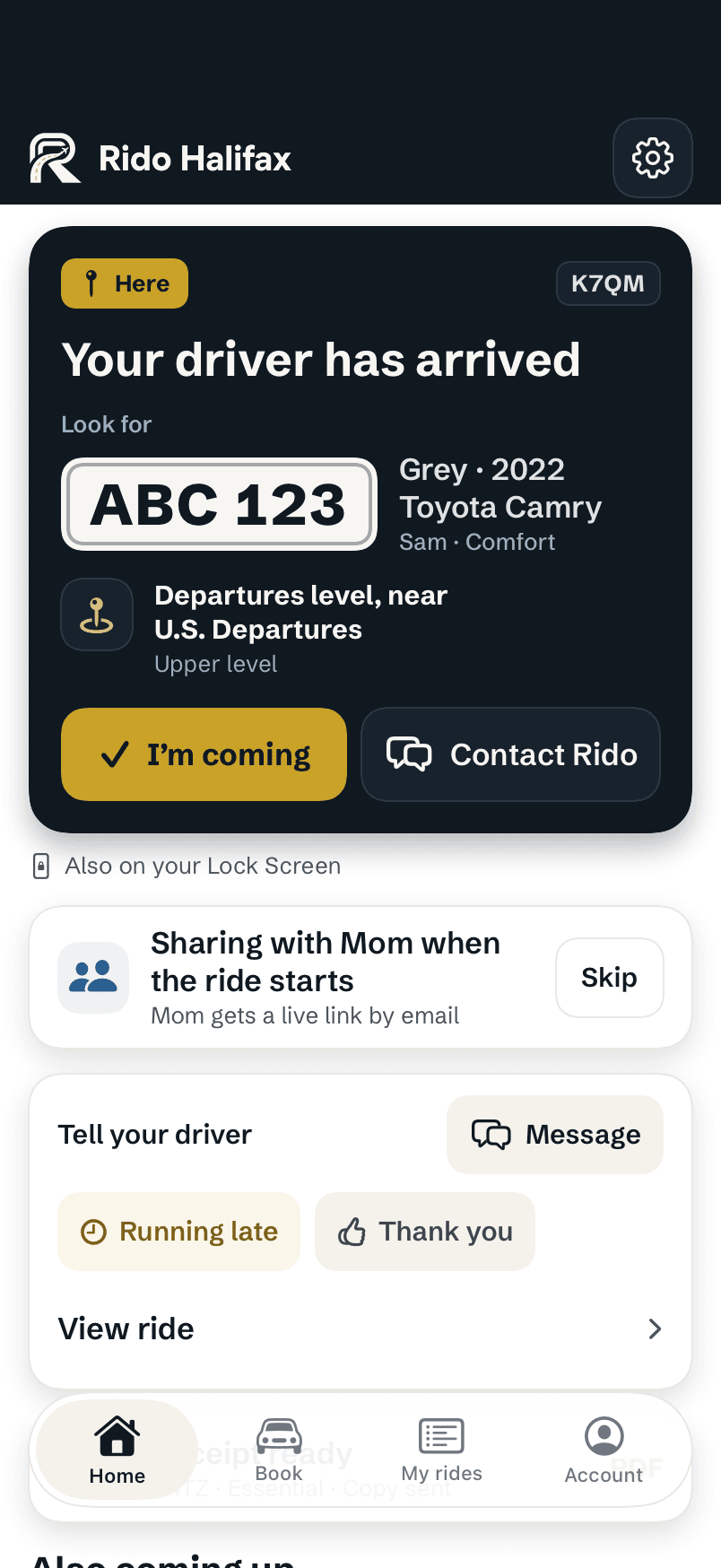
When your driver arrives, the plate and where to meet.
What the app adds.
Booking is the same booking, so nothing you already do changes. These are the things the website cannot do on its own.
- Your next ride, first thing
- Home opens on your upcoming rides with the pickup time and where the ride stands, and it keeps showing them on a weak signal.
- Book in one tap
- Save Home, Work and anywhere else you go, then start a ride to or from Halifax Stanfield with your address and details already filled in. Book again from a past ride too.
- Watch your car arrive
- While your driver is on the way and during the ride, Home can show the car on a map with your driver's name, the car and its plate.
- Tell your driver you're ready
- Tap a ready message such as “I’m ready” or “Running late”, or type your own. Your driver and Rido see it. Messages carry no phone numbers, emails or links.
- Alerts only about your rides
- Booking confirmed, your driver's details before pickup, on the way, arrived, running late, a pickup time change or a cancellation — and you can answer a message straight from the alert. Never marketing. Your texts and emails keep coming as usual.
- On your Lock Screen
- From the moment your driver is on the way, your ride sits on the Lock Screen and in the Dynamic Island with the time your driver reaches the pickup.
- Let someone know you're on your way
- Choose one person you trust. Once they confirm by email, Rido sends them a private live link when each of your rides starts, and you can stop any ride's sharing from Home.
- Widgets and Apple Wallet
- A Next ride widget and a Ride badges widget for your Home Screen, and you can keep a ride or your Share Rido pass in Apple Wallet.
- No password to remember
- Sign in with Apple, with Google on iOS 17.4 or later, or with a one-time code sent by email or text. Your receipts, ride badges, saved places and Share Rido code are all in there.
The live map and your messages stay open from the moment your driver is on the way until 10 minutes after the ride ends.
No iPhone? Nothing changes.
There is no Android app. The website does the whole job in any phone browser — booking, your account, your receipts, live tracking and your driver's messages — and your rides, prices and alerts by text and email are exactly the same.
Common questions.
All questionsIs there a Rido app?
Yes, a free iPhone app called Rido Halifax. It books the same rides at the same prices as this website, and adds your next ride on the first screen, one-tap booking from your saved places, your driver's car on a live map, alerts about your ride, your ride on the Lock Screen, and a tap to tell your driver you're ready. It needs iOS 17.2 or later. There is no Android app: the website does the whole job in any phone browser. The Rido App
Do I need an account?
You can book as a guest. A Rido account adds Share Rido rewards, ride badges and saved places, shows your rides and lets you book again faster. There's no password: you sign in with a one-time code sent to your email, and the sign-in page also offers a text message or Google where they're available.
What pickup time should I choose for an Airport Pickup?
Add your flight number and its scheduled arrival, then choose how long after landing you'll be ready: we suggest 30 minutes for domestic carry-on only, 45 with checked bags and 60 for international. That becomes your confirmed pickup time. Waiting starts then, or when your driver arrives if that's later, not when you land.